
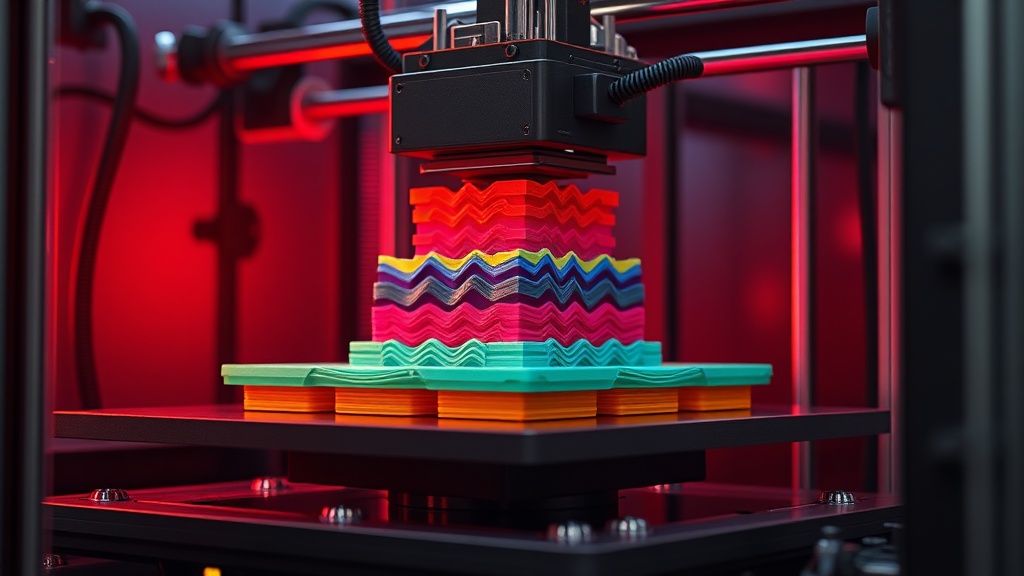
 Unlocking the Mysteries: How Does a 3D Printer Work?
Caption: Featured image representing Unlocking the Mysteries: How Does a 3D Printer Work?
Introduction
Welcome to the fascinating world of 3D printing! Imagine being able to create almost any object you can think of, right from the comfort of your home or office. Whether you're an artist, engineer, or simply a curious individual, understanding how a 3D printer works can unlock endless possibilities for creativity and innovation.
What is 3D Printing?
3D printing, also known as additive manufacturing, is a revolutionary technology that allows you to turn digital designs into physical objects. At its core, the process involves layering materials to build up an object, rather than cutting away from a solid block. This is where the term "additive" comes from—material is added layer by layer until the final product is complete.
How Does 3D Printing Work?
To grasp the working principle of 3D printers, it’s important to understand the key components and steps involved:
1. Digital Model Creation: The journey begins with a digital 3D model, typically created using CAD software or downloaded from online platforms. Common formats include the STL file format, which is widely used for 3D printing.
2. Slicing: Before printing, the model needs to be sliced into individual layers. This is where slicing software comes into play. It converts the 3D model into G-code, a language that tells the printer how to move, what speed to use, and how much material to extrude.
3. Printing Process: Depending on the technology used, the printer will create the object layer by layer. Here are the most common methods:
- FDM (Fused Deposition Modeling): Involves melting and extruding thermoplastic filament through a nozzle, building layers on a print bed.
- SLA (Stereolithography): Uses a laser to cure liquid resin into solid layers. It provides high precision and smooth finishes.
- SLS (Selective Laser Sintering): Utilizes a laser to fuse powdered materials, such as nylon or metal, into solid structures.
4. Finishing Touches: Once the printing is complete, some post-processing may be necessary, such as removing support structures or smoothing surfaces for a polished look.
Why Use 3D Printing?
3D printing offers numerous advantages:
- Customization: Create tailored objects to meet specific needs.
- Cost-Effectiveness: Reduce waste with the additive process compared to traditional manufacturing.
- Rapid Prototyping: Quickly turn ideas into physical forms, enabling faster iterations.
- Accessibility: With services like Printora, you can easily order custom 3D prints or generate models using AI tools available in Printora AI Studio.
#### Explore the World of 3D Printing in India
Whether you’re looking to dive deeper into the technology or start your own 3D printing journey, there are numerous online resources and marketplaces available. For instance, you can explore Printora Marketplace for an array of 3D printing options or utilize PrintLab Tools for custom design utilities.
So, are you ready to unlock the mysteries of 3D printing? Let’s dive deeper into each aspect of this captivating technology and discover how it transforms ideas into reality!
Understanding 3D Printing
 Understanding 3D Printing
Caption: Visual representation of Understanding 3D Printing
3D printing, also known as additive manufacturing, is a revolutionary technology that transforms digital models into physical objects. This process involves layering materials to create a three-dimensional item, making it distinct from traditional subtractive manufacturing methods. In this section, we will explore how 3D printing works, including the various processes involved, and its significance across different industries.
The Additive Manufacturing Process
At its core, 3D printing operates on the principle of additive manufacturing, where material is added layer by layer to build a final product. Here’s a simple breakdown of the 3D printing workflow:
1. Designing the Model:
- The first step involves creating a 3D model using Computer-Aided Design (CAD) software. The completed design is saved in an STL file format, which is the standard for 3D printing.
2. Slicing the Model:
- The STL file is then processed through slicing software, which converts the 3D model into G-code—a language that 3D printers understand. This G-code contains instructions for the printer, including movements, temperatures, and the number of layers needed.
3. Printing:
- The printer begins the additive manufacturing process by laying down material layer by layer. Depending on the technology used, this can involve different techniques:
- FDM Printing Process (Fused Deposition Modeling):
- This method uses a heated extruder to melt thermoplastic filament, which is then deposited onto a print bed. The extruder moves in a predetermined path, building the object layer by layer.
- Pros: Affordable, widely available, and suitable for a variety of materials.
- Cons: Lower resolution compared to other methods.
- SLA Printing Process (Stereolithography):
- In this process, a UV laser cures liquid resin in a vat, solidifying it layer by layer. SLA is known for its high precision and smooth surface finishes.
- Pros: High detail and smooth finishes.
- Cons: More expensive and requires post-processing.
- SLS Printing Process (Selective Laser Sintering):
- SLS uses a laser to fuse powdered materials, typically nylon or other polymers, into solid structures. This method allows for complex geometries and no support structures.
- Pros: Strong parts and intricate designs.
- Cons: Higher cost and more complex setup.
4. Post-Processing:
- After printing, objects often require post-processing, which may include cleaning, curing, or finishing to achieve the desired quality.
Significance of 3D Printing in Various Industries
3D printing has made significant inroads across multiple sectors due to its versatility and efficiency. Here are some key areas where 3D printing is making an impact:
- Manufacturing:
- Rapid prototyping allows manufacturers to test designs quickly and reduce time-to-market.
- Healthcare:
- Custom prosthetics and dental implants can be created to fit individual patients perfectly.
- Aerospace:
- Lightweight components for aircraft can be manufactured, improving fuel efficiency.
- Education:
- 3D printing technology is utilized in schools to teach students about design and engineering principles.
- Online 3D Printing Services:
- Platforms like Printora allow users to upload their designs and order 3D prints easily, promoting accessibility for hobbyists and professionals alike.
Infographic Summary
 Infographic for Unlocking the Mysteries: How Does a 3D Printer Work?
Caption: Infographic guide summary.
Conclusion
Understanding 3D printing requires not just knowledge of its processes but also an appreciation for its potential to transform industries. As technology continues to evolve, the possibilities for 3D printing are boundless, paving the way for innovations that could change how we design, manufacture, and interact with the world around us.
The Different 3D Printing Processes
 The Different 3D Printing Processes
Caption: Visual representation of The Different 3D Printing Processes
3D printing is an exciting field that employs various technologies to create physical objects from digital models. Understanding how a 3D printer works involves delving into the specifics of different printing processes. Here, we will explore three of the most popular methods: FDM, SLA, and SLS. Each has unique characteristics, applications, and working principles that make them suitable for different tasks.
1. FDM Printing Process (Fused Deposition Modeling)
FDM is one of the most common methods of 3D printing, particularly popular among hobbyists and in educational settings. This process is characterized by the following:
- Working Principle: FDM printers melt thermoplastic filament, which is then extruded through a nozzle. The printer moves the extruder along the X and Y axes to lay down layers of material, which cool and solidify to form the final object.
- 3D Printing Layers: The object is built layer by layer, with each new layer adhering to the one below it.
- Components:
- Extruder: Heats and pushes the filament through the nozzle.
- Nozzle: Dispenses the melted material onto the print bed.
- Print Bed: The surface where the object is built. It may have a heated option to enhance adhesion.
#### Applications:
- Prototyping
- Custom toys and models
- Functional parts and tools
2. SLA Printing Process (Stereolithography)
SLA is known for its ability to produce high-resolution prints with intricate details. This method utilizes a different approach:
- Working Principle: SLA printers use a UV light source to cure liquid resin into hardened plastic. The print platform lowers into a vat of resin, and the light selectively solidifies the resin layer by layer.
- 3D Printing Layers: Each layer is cured by the UV light, which means the process can achieve smooth finishes and fine details that are often necessary in professional applications.
- Components:
- Resin Vat: Holds the liquid resin used in printing.
- Build Platform: The surface that rises from the resin to reveal the printed object.
- UV Light Source: Cures the resin into solid layers.
#### Applications:
- Jewelry and dental modeling
- Highly detailed prototypes
- Miniatures and figurines
3. SLS Printing Process (Selective Laser Sintering)
SLS is another advanced 3D printing method that offers unique advantages over other processes:
- Working Principle: SLS uses a high-powered laser to sinter powdered material (often nylon or polyamide) into solid structures. The laser scans the surface of the powder bed, fusing it into a solid layer, and then a new layer of powder is spread on top for additional sintering.
- 3D Printing Layers: Similar to the other methods, SLS builds the object layer by layer, but it does so using fine powder rather than filament or resin.
- Components:
- Laser: The key component that fuses the powder particles.
- Powder Bed: Holds the material that will be sintered.
- Roller: Spreads a new layer of powder after each layer is completed.
#### Applications:
- Functional prototypes and end-use parts
- Complex geometries and assemblies
- Aerospace and automotive components
Comparison Table
| Feature | FDM | SLA | SLS |
|---|---|---|---|
| Material | Thermoplastic filament | Liquid photopolymer resin | Powdered materials |
| Print Quality | Moderate to high | High | High |
| Speed | Moderate | Slow | Moderate to fast |
| Cost | Lower | Higher | Higher |
| Applications | Prototypes, toys | Jewelry, miniatures | Functional parts |
Actionable Tips
- Choosing the Right Process: Consider the intended application when selecting a 3D printing method. For intricate designs, SLA may be the best choice, while FDM is excellent for functional prototypes.
- Prepare Your Model: Use slicing software to convert your 3D model (often in STL file format) into G-code, which the printer understands. Proper slicing can significantly affect the print quality and success.
- Experiment with Online 3D Printing: Services like Printora Marketplace allow you to order 3D prints online, giving you access to various printing technologies without needing to own a printer.
By understanding these different 3D printing processes, you can better appreciate how 3D printing works and make informed decisions for your projects!
Key Components of a 3D Printer
Understanding how a 3D printer works involves familiarizing yourself with its key components, each of which plays a critical role in the additive manufacturing process. Let’s break down the essential parts of a 3D printer, focusing on how they contribute to the creation of 3D printed layers.
1. **Extruder**
The extruder is the heart of the 3D printing process. It is responsible for feeding filament into the printer and melting it to create layers. Here’s how it works:
- Filament Feeding: The extruder pulls filament from a spool and pushes it toward the nozzle.
- Heating Element: The extruder contains a heating element that melts the plastic filament as it moves toward the nozzle.
- Drive Gear: A drive gear grips the filament, ensuring a steady flow into the nozzle.
2. **Nozzle**
The nozzle is where the magic happens. It transforms the melted filament into 3D printed layers.
- Diameter Variability: Nozzles come in various diameters, affecting the thickness of the filament strands. A smaller nozzle creates finer details, while a larger one allows for faster printing.
- Layer Creation: As the nozzle moves, it deposits the melted plastic layer by layer on the print bed, building the object from the bottom up.
3. **Print Bed**
The print bed is the surface on which the 3D object is built. Its characteristics can influence the success of the print.
- Material Types: Print beds can be made from glass, aluminum, or specialized materials that help with adhesion and heat distribution.
- Heated vs. Non-Heated Beds: Heated print beds help prevent warping by keeping the base layer warm, ensuring better adhesion of the first layer to the bed.
4. **Additional Components**
While the extruder, nozzle, and print bed are crucial, several other components enhance the functionality of a 3D printer:
- Slicing Software: Converts 3D models (often in STL file format) into G-code, which translates commands for the printer on how to create each layer. Examples include Cura and Simplify3D.
- Control Board: Acts as the brain of the printer, interpreting G-code and controlling the movement of the extruder and print bed.
- Step Motors: These precise motors drive the movement of the extruder and print bed along the X, Y, and Z axes.
Conclusion
By understanding these key components—the extruder, nozzle, and print bed—you gain insight into the fundamental working principle of a 3D printer. Whether you are interested in the FDM printing process, SLA printing process, or SLS printing process, knowing these parts will help you appreciate the intricacies of how 3D printing works. For those looking to dive deeper into 3D design, tools like Printora AI Studio can help you create custom models, while PrintLab Tools can assist in customizing your designs. Explore the world of online 3D printing in India and beyond!
From Digital to Physical: The Workflow
Understanding how 3D printing works involves diving deep into its workflow, which transforms a digital design into a tangible object. The process primarily revolves around three key components: STL files, slicing software, and G-code. Let’s explore each of these elements and how they contribute to the additive manufacturing process.
1. STL Files: The Blueprint of 3D Models
An STL file (Stereolithography file) serves as the fundamental blueprint for your 3D print. This file format contains a 3D object's geometry in a series of triangular facets. Here’s how it fits into the workflow:
- Creation: 3D models can be created using CAD (Computer-Aided Design) software or downloaded from online repositories. If you need help in designing a custom model, consider using Printora’s AI Studio for generating 3D models effortlessly.
- Exporting: Once your model is ready, export it as an STL file. Ensure that the file is properly scaled and has no errors.
2. Slicing Software: The Translator
After obtaining the STL file, the next step is slicing it using slicing software. This software translates the 3D model into a language that the printer can understand. Here’s what it does:
- Layering: The software slices the model into individual layers, a crucial aspect of the 3D printing layers process. Each layer corresponds to a horizontal cross-section of the model.
- Settings: You can adjust various settings to optimize your print, including:
- Layer height (affecting detail and speed)
- Print speed
- Infill density (how solid the print will be)
- Supports (if your model has overhangs)
- File Output: The slicing software then generates a G-code file, which is the final step before printing.
3. G-code: The Printer's Instruction Manual
G-code is a programming language that tells the 3D printer what to do. It includes instructions for the extruder, nozzle, and print bed. Here’s what you need to know:
- Movement Commands: G-code contains commands for moving the print head and controlling the temperature of the extruder and print bed.
- Printing Process: It directs the printer through the FDM printing process, SLA printing process, or SLS printing process based on the type of 3D printer you are using.
- Customization: Advanced users can manually edit G-code for specific tweaks, although this requires a deeper understanding of the printer’s mechanics.
Tips for Online 3D Printing
If you're looking to bring your designs to life through online 3D printing services, here are some actionable tips:
- Choose Reliable Services: Platforms like Printora Marketplace offer a range of options for ordering your 3D prints easily and efficiently.
- Check Material Options: Different printers support various materials (PLA, ABS, resin, etc.), so choose one that fits your project requirements.
- Review Specifications: Before uploading your STL file, double-check the specifications required by the printing service to avoid unexpected issues.
By understanding the roles of STL files, slicing software, and G-code, you can confidently navigate the workflow of 3D printing. Whether you're a hobbyist or a professional, grasping these concepts is essential for successful prints in the exciting world of 3D printing in India and beyond.
Conclusion
As we’ve explored in this article, understanding how 3D printing works opens up a world of possibilities for creativity and innovation. Here’s a summary of the key points:
- 3D Printer Working Principle: At its core, 3D printing is an additive manufacturing process that builds objects layer by layer, allowing for intricate designs that traditional manufacturing methods can't achieve.
- Common 3D Printing Techniques: We discussed several popular methods:
- FDM Printing Process: Utilizes a heated nozzle to extrude thermoplastic filament, creating objects layer by layer.
- SLA Printing Process: Employs a laser to cure liquid resin into solid layers, resulting in high-resolution prints.
- SLS Printing Process: Uses a laser to fuse powdered material, which is ideal for complex geometries and durable parts.
- 3D Printing Layers: Each layer is a thin slice of the final product, carefully controlled by slicing software that converts 3D models (like those in STL file format) into G-code for the printer.
- Components of a 3D Printer: Key parts include the extruder, nozzle, and print bed, which work together to ensure precision in the printing process.
- Exploring Online Resources: Platforms such as Printora offer tools for online 3D printing, allowing you to generate models or order 3D prints easily.
Call to Action
Now that you have a foundational understanding of how 3D printing works, why not dive deeper into this fascinating field? Here are some actionable steps you can take:
1. Experiment with Slicing Software: Try out different slicing software to see how they convert your 3D models into G-code.
2. Explore Printora AI Studio: Generate your own 3D models effortlessly at Printora AI Studio.
3. Custom Design Utilities: Use PrintLab Tools for custom design utilities to bring your ideas to life.
4. Join the Community: Engage with online forums and groups focused on 3D printing to share ideas and gain insights from experienced users.
5. Stay Updated: Follow trends in 3D printing India and global advancements in the technology to keep your knowledge fresh and relevant.
Get started today and unlock your potential in the world of 3D printing!
Frequently Asked Questions
What is 3D printing?
3D printing is an additive manufacturing process that creates three-dimensional objects layer by layer from digital models.
What are the main types of 3D printing processes?
The main types include FDM (Fused Deposition Modeling), SLA (Stereolithography), and SLS (Selective Laser Sintering).
What is an STL file?
An STL file is a standard file format used for 3D modeling that describes the surface geometry of a 3D object.
How do I prepare a 3D model for printing?
You need to use slicing software to convert your 3D model into G-code, which the printer uses to create the object.
Can I 3D print online?
Yes, platforms like Printora allow you to upload designs and get them printed professionally.
Create Parametric 3D Prints Instantly
Try the Printora AI Lab to generate 3D assets or LiteForge for dynamic lithophanes now!